AI Sparks.
Built for event planners.
Extract a raw client brief, generate concepts, build moodboards, create images, and validate design assets. Every creative step of event production lives in one workspace inside Praloop.
Start 14 Days Free TrialNo credit card required · Cancel anytime
Any brief. Any format. Structured in minutes.
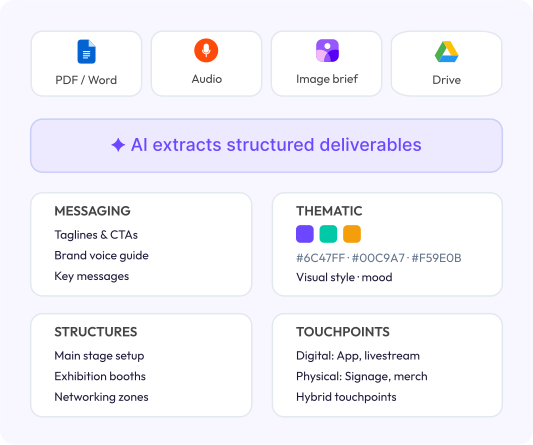
Drop in a Word document, PDF, or an audio recording. The AI transcribes and extracts all the creative deliverables your team needs.
- Accepts Word, PDF, and audio files
- AI transcribes audio before extracting
- Outputs messaging, thematic, structural, and touchpoint deliverables
- Hex colour codes and visual style extracted from brief language
- Save to workspace, share across the team instantly
- Export as PPTX, PDF, or to Google Drive
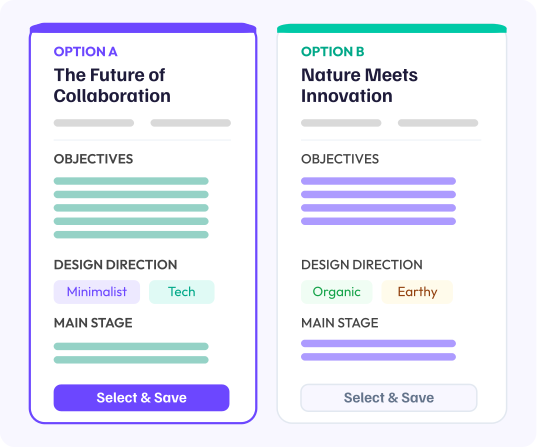
Pitch ready event themes in minutes.
Upload your brief. The AI generates fully developed event concepts, each with a theme title, narrative, objectives, deliverables, and design directions by zone.
- Core objectives, deliverables, and strategic rationale
- Design directions per zone: stage, demo, networking, digital
- Save chosen concept to workspace for the team
- Export as PPTX or PDF, pitch ready on day one
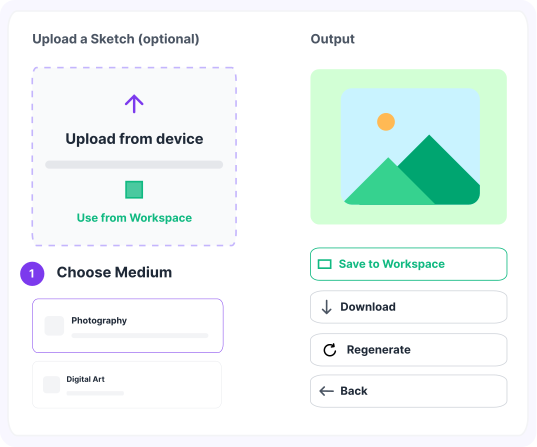
From prompt to photorealistic image in one step.
Two generation modes — Photography and Digital Art. Set your scene, camera profile, and resolution, and the AI generates a render.
- Photography: country, subject, camera profile, scene description
- Digital Art: art style, camera profile, resolution, scene description
- Alternate views generated on-demand: front, side, top, detail
- Save to workspace, share with the team immediately
- Download in original resolution with one click
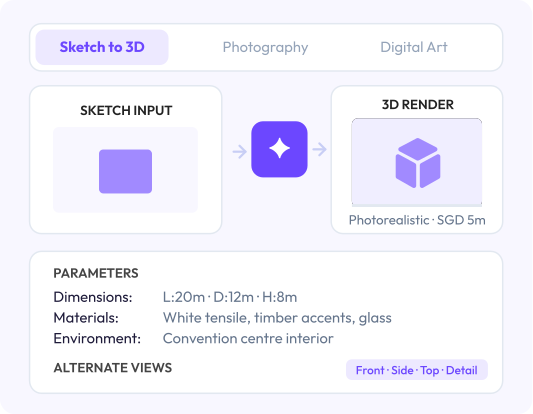
From hand-drawn sketch to photorealistic 3D render.
Upload any rough sketch of a stage, booth, or event space. Add dimensions, materials, and environment context. The AI converts it into a photorealistic 3D render your client can visualise immediately.
- Upload hand-drawn or digital sketches in any format
- Set dimensions, materials, finishes, and environment context
- AI generates a photorealistic 3D render from your inputs
- Request alternate views: front, side, top, and detail
- Save render to workspace for use across the project
- Download in original resolution or share directly with the team
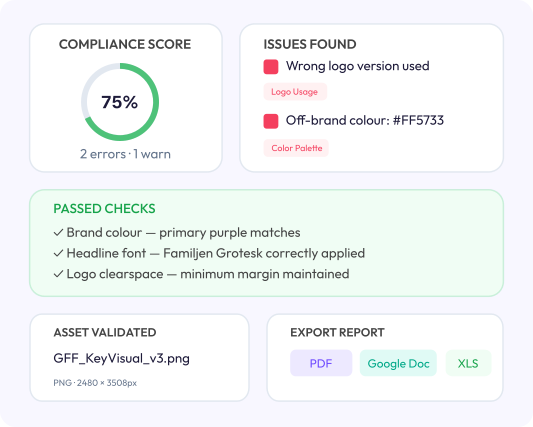
Brand compliance checked before anything ships.
Upload any creative asset and your brand guidelines document. The AI checks every element — logo, colour, typography, imagery — and produces a compliance report with a score.
- Validates PNG, JPG, WEBP, and PDF assets up to 25MB
- AI reads your brand guidelines document and applies it
- Issues ranked by severity: Error, Warning, and Info
- Category tags: Logo, Color Palette, Typography, Imagery
- Export report as PDF, Google Doc, or Excel spreadsheet
- Re-check any asset after revisions
The right words for every render and visual asset.
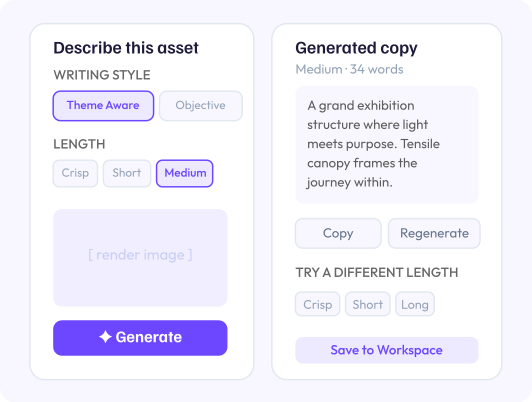
Upload any 3D render or visual asset. Choose a writing style and length. The AI generates copy that matches the design's purpose and emotional tone.
- Theme Aware mode reflects the emotional language of the brief
- Standard Objective mode gives neutral, factual descriptions
- Four length options: Crisp, Short, Medium, Long
- Regenerate at the same style and length, or switch instantly
- Inline editing — edit the output directly
- Save to workspace for use across the project
Every event communication, polished before it goes out.
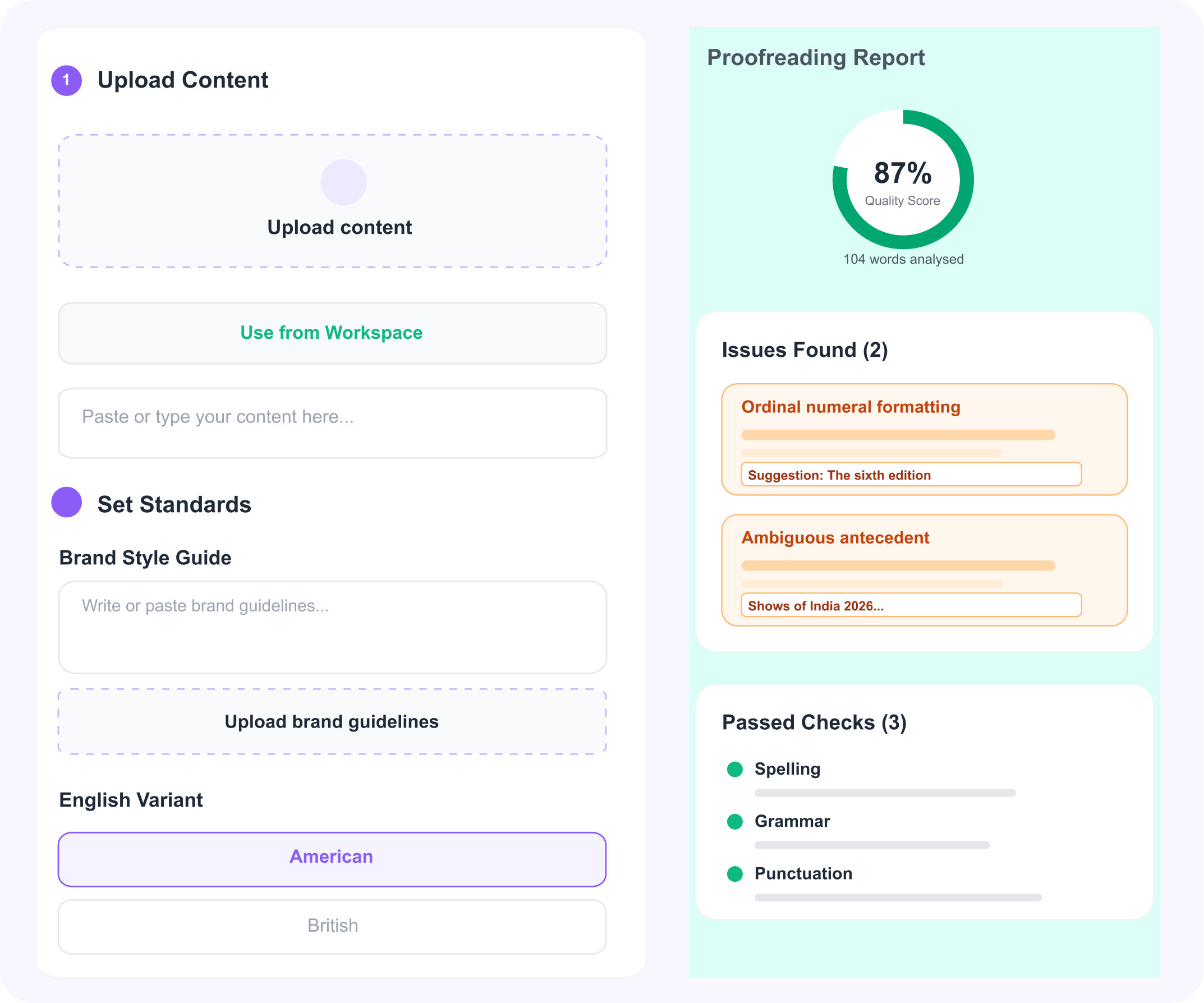
Paste or upload any event document. The AI checks for grammar, spelling, tone, and clarity — so proposals, briefs, and vendor emails land the way you intended.
- Works on proposals, briefs, presentations, and vendor documents
- Checks grammar, spelling, punctuation, and sentence clarity
- Flags tone inconsistencies across the document
- Inline suggestions — accept or reject each change individually
- Paste text directly or upload a doc from your workspace
- Copy the final proofread version with one click
Three steps to creative output
From raw brief to polished deliverable, all inside the same project workspace.
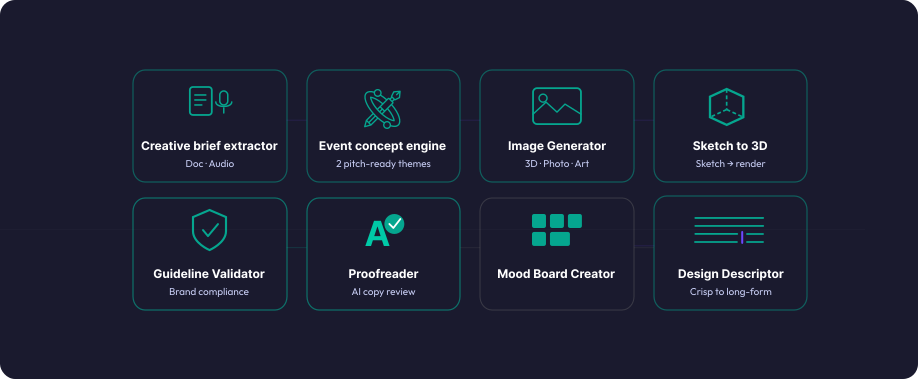
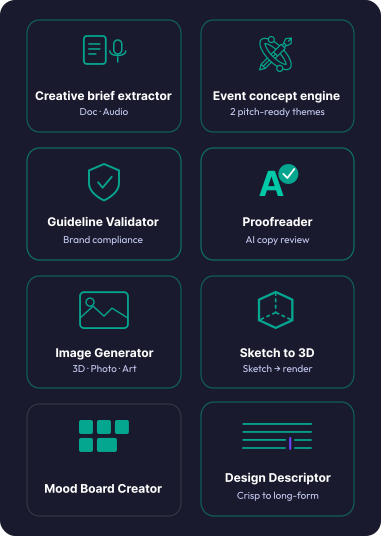
Every Spark, explained.
7 live today. 1 coming soon.


Two audiences. One creative studio built for event planners.
For event teams who currently use Canva, Adobe, and Pinterest for different parts of the creative process and want it all inside one project management tool.
From internal brief to approved visuals, without design agency overhead.
Generate concepts, create renders of your venue setup, and validate assets against brand guidelines inside the same project where your team is planning.
- Brief in email, concepts in Miro, visuals in Canva, validation manual
- Brand compliance checked at the last minute, if at all
- Creative scattered across tools and shared drives
Strategic alignment from brief to execution, automatically.
Extract the creative brief, generate two pitch ready themes, produce renders, and validate everything against brand guidelines before the client meeting.
- Brief disconnected from creative output
- Vendor briefs missing brand context
- Design feedback loops that take days instead of hours
The creative studio built for event planners.
Try it free.
14 days free. No credit card required.
Frequently asked questions
Everything you need to know about the AI Creative Studio.